
About this software
Efficient Elements for Communication is a PowerPoint add-in designed to speed slide creation and enforce consistent formatting for business presentations. It provides layout templates, formatting shortcuts, reusable slide elements, and productivity controls to reduce manual formatting work.
The product targets corporate communicators, consultants, and professionals who produce recurring slide decks and need consistent, template-driven output.
Purchase
Efficient Elements for Communications
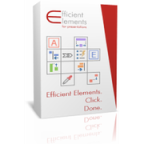
In Stock
Delivery: 1 working day
Loading...
€155.57
Free and without obligation
Do you need more information or looking for another license?
Benefits
- Faster slide creation: Provides templates and shortcuts to reduce time building slides.
- Consistent formatting enforcement: Applies corporate templates and styles to maintain visual consistency.
- Reusable slide elements: Lets users store and reuse common slides and components.
- Agenda and structure tools: Helps generate and maintain slide agendas and numbering.
- Single user subscription: License is issued per user for the subscription period.
Available languages
- English
Support information
- Product documentation: User guides and help materials are provided by the publisher online.
- Product updates: Updates are provided through the publisher according to the subscription terms.
- License management: Licenses are managed per user for the subscription period.
- Installation guidance: Installation instructions and system requirements are available from the publisher.
- Compatibility notes: Compatibility information for Windows and macOS is provided by the publisher.
Frequently asked questions
What is Efficient Elements for Communications?
A software solution that supplies templates, content modules, and workflow tools to streamline creation of consistent business communications across teams.
What types of communication materials does it support?
Typically used for presentations, reports, executive summaries, and client-facing documents where standardized structure and visuals are important.
Can templates be customized to match company branding?
Yes. Templates, styles, color palettes, and layout guidelines can be configured to align with an organization's branding and visual standards.
How does it help teams maintain consistent messaging?
By providing standardized templates, reusable content blocks, and editorial guidelines that reduce variation and support uniform terminology and structure.
Is it compatible with common office workflows and collaboration tools?
Outputs are produced in standard document and presentation formats and designed to fit typical collaboration workflows used in enterprise environments.