
Publisher
Iron SoftwareSubcategories
Average rating
About this software
Licenses & prices
Developer
Developer grants a single-developer license for building and distributing IronSuite applications during development and testing.
Enterprise
Enterprise provides organization-wide deployment rights, advanced integration options, and centralized management for IronSuite components.
Professional
Professional includes advanced libraries, production deployment rights, and performance features suitable for server-side IronSuite applications.
Lite
Lite is a reduced-feature edition providing essential IronSuite PDF, barcode, and basic imaging functionality for small projects.
Plus
Plus includes additional IronSuite components beyond Lite, intended for broader application features and runtime distribution.
Lite extension
Lite extension augments the Lite edition with additional modules and APIs to expand IronSuite feature coverage.
Plus extension
Plus extension adds optional components and connectors to the Plus edition for broader document and imaging workflows.
Unlimited extension
Unlimited extension removes usage limits and includes extra modules to enable high-volume IronSuite processing and integrations.
Unlimited enterprise extension
Unlimited enterprise extension combines enterprise deployment rights with unlimited usage and additional optional modules for IronSuite.
Professional extension
Professional extension supplies additional enterprise connectors, automation scripts, and optional modules for the Professional edition.
Purchase
Iron Software IronSuite
Do you need more information or looking for another license?
Benefits
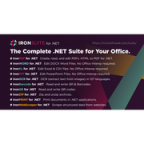
- Multi-format document APIs: Create, read, and edit PDFs, Word, Excel, and PowerPoint files in .NET
- OCR and barcode scanning: Extract text, barcodes, and QR codes from images and PDFs locally
- No Office Interop required: Manipulate Office documents without installing Microsoft Office or Interop
- Deploys to cloud or on-premise: Run libraries in desktop, server, and cloud environments including Azure
- Install via NuGet packages: Distribute and update components through NuGet packages and release notes
Available languages
- English
- Spanish
- Chinese
- Arabic
- & more supported languages
Support information
- Online documentation: Product documentation, API references, and code samples are published on the official website
- NuGet packages: Libraries are distributed via NuGet with versioned packages and release notes
- Developer examples: Sample code, quickstarts, and GitHub references are available for common scenarios
- Support portal: Support portal, FAQs, and licensing information accessible on the website
- Release notes: Release notes and changelogs published with each version for tracking changes